Solutions


Knowledge Hub


Company


Login Request Demo

Products

Knowledge Hub

Company

Turn Executive Movement Into Revenue:
Champion Tracking with ExecAtlas

Track and reengage key decision-makers and internal champions when they change roles.

Use ExecAtlas to identify the following champion tracking opportunities:

  • Departure of an internal champion from a current customer or active prospect

  • New role accepted by former champion at a net-new or high-priority account

  • Role change or promotion that increases buying power

  • Former champions from closed-won accounts

  • Influencers from stalled or lost deals

  • Departing contacts flagged in CS reviews

Reignite opportunities by identifying when former champions land in new roles aligned with your solution.

Sales, Account Management, Customer Success, RevOps

Why Choose ExecAtlas for Executive Intelligence?

Verified Data Icon

Verified Exec Data, Not Guesswork

ExecAtlas delivers daily-verified titles, roles, and board seats sourced from press releases, corporate disclosures, and SEC filings, so reps hit the right people, fast.

Relationship Map Icon

Real Relationship Maps, Not Just Connections

LinkedIn shows connections. ExecAtlas shows who actually knows who, with 500M+ scored relationships built from real-world overlap.

CRM Sync Icon

CRM That Works for Sellers

ExecAtlas enriches both contacts and accounts, resolves duplicates, and syncs across Salesforce and other systems, making CRM data usable and complete.

ExecAtlas Alerts

Step-by-Step Champion Tracking Execution

1

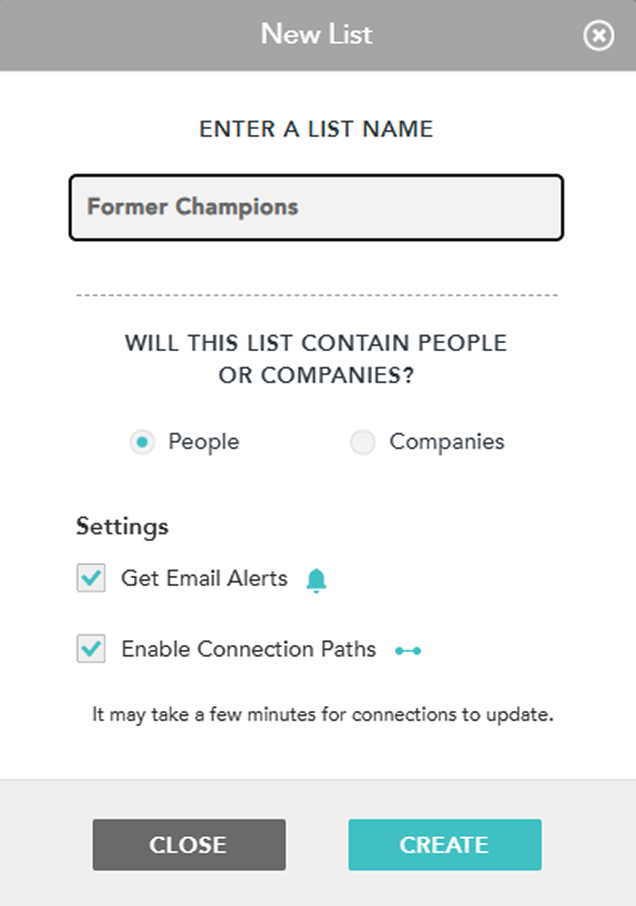
Create a “Former Champion” Watchlist in ExecAtlas

  • Upload a list of CRM contacts tied to key opportunities, both closed-won and closed-lost.

  • Apply filters for VP+ titles and cross-functional influence (ie public board elsewhere, current or historic).

New List
2

Activate ExecAtlas Tracking

  • Use automated alerts for job changes, board placements, or executive hires or departures.

  • Identify warm paths into their new organization via mapped relationships.

3

Qualify the New Opportunity

  • Cross-reference the new company with target account tiers.

  • Determine if their role has buying authority or strategic alignment.

4

Plan the Outreach

  • Reference the shared history and tailor messaging to their new mandate.

  • Use ExecAtlas to find peer examples or board overlaps to increase relevance.

5

Reinforce or Elevate the Connection

  • Identify peer-level contacts, mutual ties, or other shared interests to strengthen re-engagement.

  • Use mapped relationships to broaden influence in the new organization.

Messaging Tips & Outreach Framework

Open with Shared Context

“We worked together at [Company] on [Project/Goal]...”

Include a Trust Anchor

“I noticed [Board member] is involved with both of our organizations. I’m happy to route through them if that’s easier.”

Acknowledge the Transition

“Congrats on the new role! I imagine there’s a lot on your plate.”

Offer Insight or Value

“We’ve seen companies in similar spaces focusing on [Initiative tied to their mandate]. Thought it might be relevant given your new priorities.”

Tip Icon

Tip

Keep first outreach high-value, not salesy. Lead with strategic perspective and relevance.

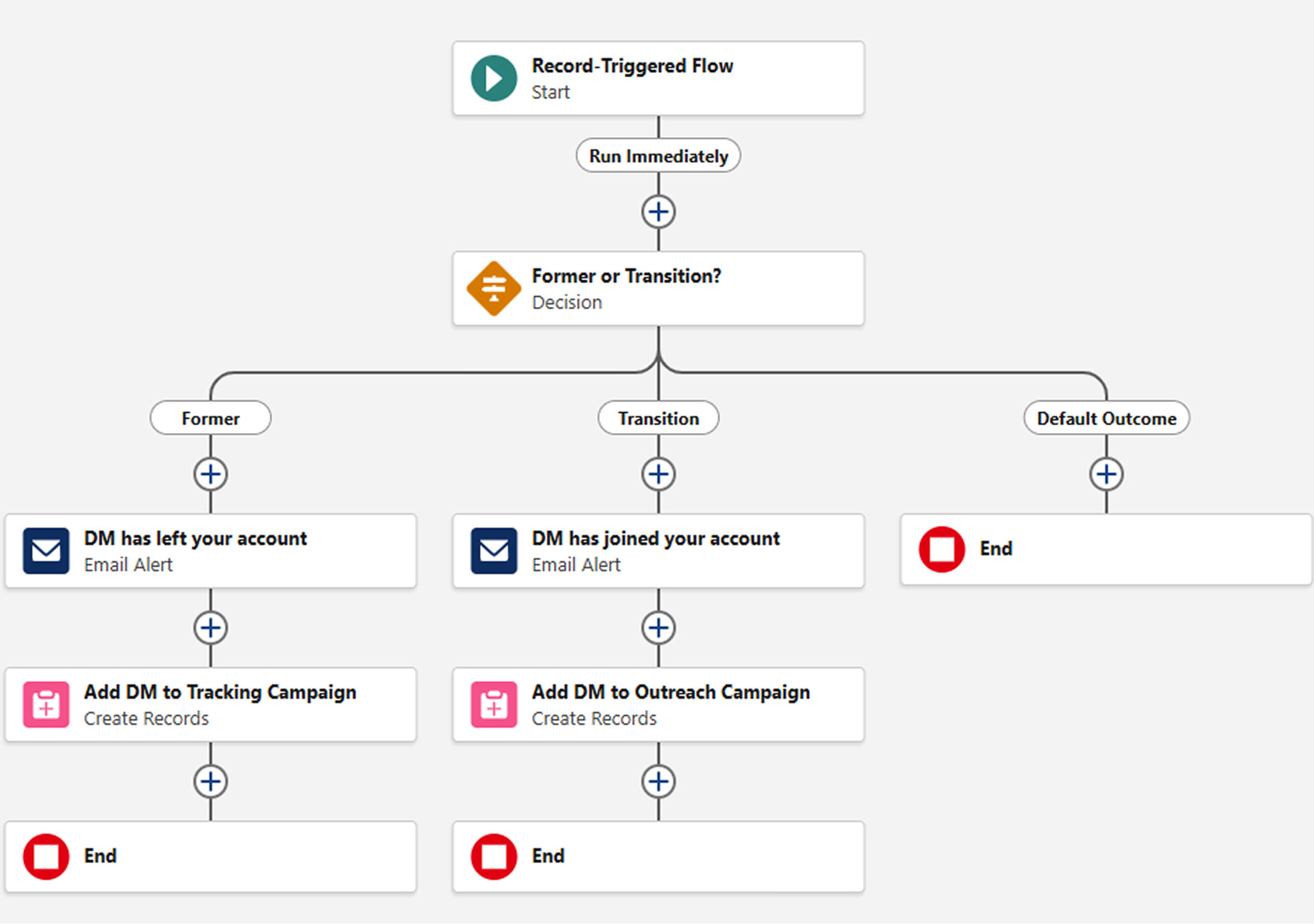
Automated CRM Workflow Example: Salesforce

1. Sync ExecAtlas tracking with Salesforce fields or custom dashboards

  • This will enrich Salesforce fields with ExecAtlas Data and keep them current

  • Use Salesforce Field History Tracking to monitor fields for updates

  • Create playbook specific alerts for key contacts flagged “Champion”

2. Receive and manage alerts

  • You will receive a notification from ExecAtlas when a contact marked “Champion” leaves

  • If you prefer alerts come from Salesforce, that can be configured via Salesforce Flow

3. Team qualification & outreach

  • Assigned team member confirms qualification and initiates outreach

  • Use ExecAtlas for connection mapping if team member with prior relationship has moved on

  • Link activity tracking to Salesforce according to account and KPI priorities

4. KPIs to consider

  • Percentage of reengaged champions

  • Opportunity creation rate tied to job changes

  • Sales velocity on champion tracking opportunities

Flow Chart

Discover the Champions You Could Be Engaging

Request a Demo