Solutions


Knowledge Hub


Company


Login Request Demo

Products

Knowledge Hub

Company

Turn Your Alumni Network Into Pipeline:
Alumni Tracking with ExecAtlas

Leverage former employees who've moved to target accounts as warm introduction sources.

Use ExecAtlas to identify the following alumni tracking opportunities:

  • Former employee joins a target account or strategic prospect

  • Alumni moves into a role with buying authority or budget ownership

  • Former team member lands at an account where you have an active opportunity

  • High performers who left on good terms

  • Former sales, customer success, or product team members with buyer relationships

  • Alumni who understand your solution's value and competitive position

Convert internal relationships into external introduction paths by tracking where alumni land and mapping their new networks.

Sales, Business Development, RevOps, Talent/HR

Why Choose ExecAtlas for Executive Intelligence?

Verified Executive Data Icon

1. Verified Exec Data, Not Guesswork

ExecAtlas delivers daily-verified titles, roles, and board seats sourced from press releases, corporate disclosures and SEC filings, so reps hit the right people, and fast.

Relationship Map Icon

2. Real Relationship Maps, Not Just Connections

LinkedIn shows connections. ExecAtlas shows who actually knows who, with 600M+ scored relationships built from real-world overlap.

Enrichment Icon

3. CRM That Works for Sellers

ExecAtlas enriches both contacts and accounts, resolves duplicates, and syncs across Salesforce and other systems, making CRM data usable and complete.

ExecAtlas Alerts

Step-by-Step Alumni Tracking Execution

1

Build Your Alumni Watchlist in ExecAtlas

  • Import former employee contact lists from HR systems or CRM historical records

  • Prioritize alumni who worked in customer-facing roles or had strong internal reputations

  • Filter for those who departed within the last 3-5 years and left on positive terms

2

Enable Continuous Tracking

  • Set up automated alerts for new roles, promotions, or company changes

  • Monitor for board appointments or advisory roles that expand their influence

  • Flag alumni who land at accounts matching your ICP criteria

3

Assess Introduction Value

  • Confirm the alumni's new role has relevance to your sales motion

  • Check if their current organization is already in your pipeline or target list

  • Evaluate relationship strength based on tenure, departure circumstances, and past collaboration

4

Coordinate Internal Routing

  • Identify which internal team members worked closely with the alumni

  • Route outreach through the strongest existing relationship, not the assigned account owner

  • Provide context on the target account's buying stage and strategic fit

5

Map Extended Networks

  • Use ExecAtlas to identify who the alumni now works alongside at their new company

  • Look for peer-level connections or shared board relationships that expand access

  • Build multi-threaded engagement strategies beyond the single alumni contact

Messaging Tips & Outreach Framework

Open with genuine congratulations

"Saw you landed at [Company]. That's a great move given your background in [Area]."

Reference shared experience

"We worked together on [Project/Initiative] and I always appreciated your [specific quality or contribution]."

Lead with value, not a pitch

"Given what you're likely focused on at [Company], thought you might find [insight/perspective] useful. We've worked with [similar companies] on [relevant challenge]."

Make the ask easy

"Would it make sense to catch up briefly? I'd value your perspective on [industry trend or challenge]. Happy to keep it informal."

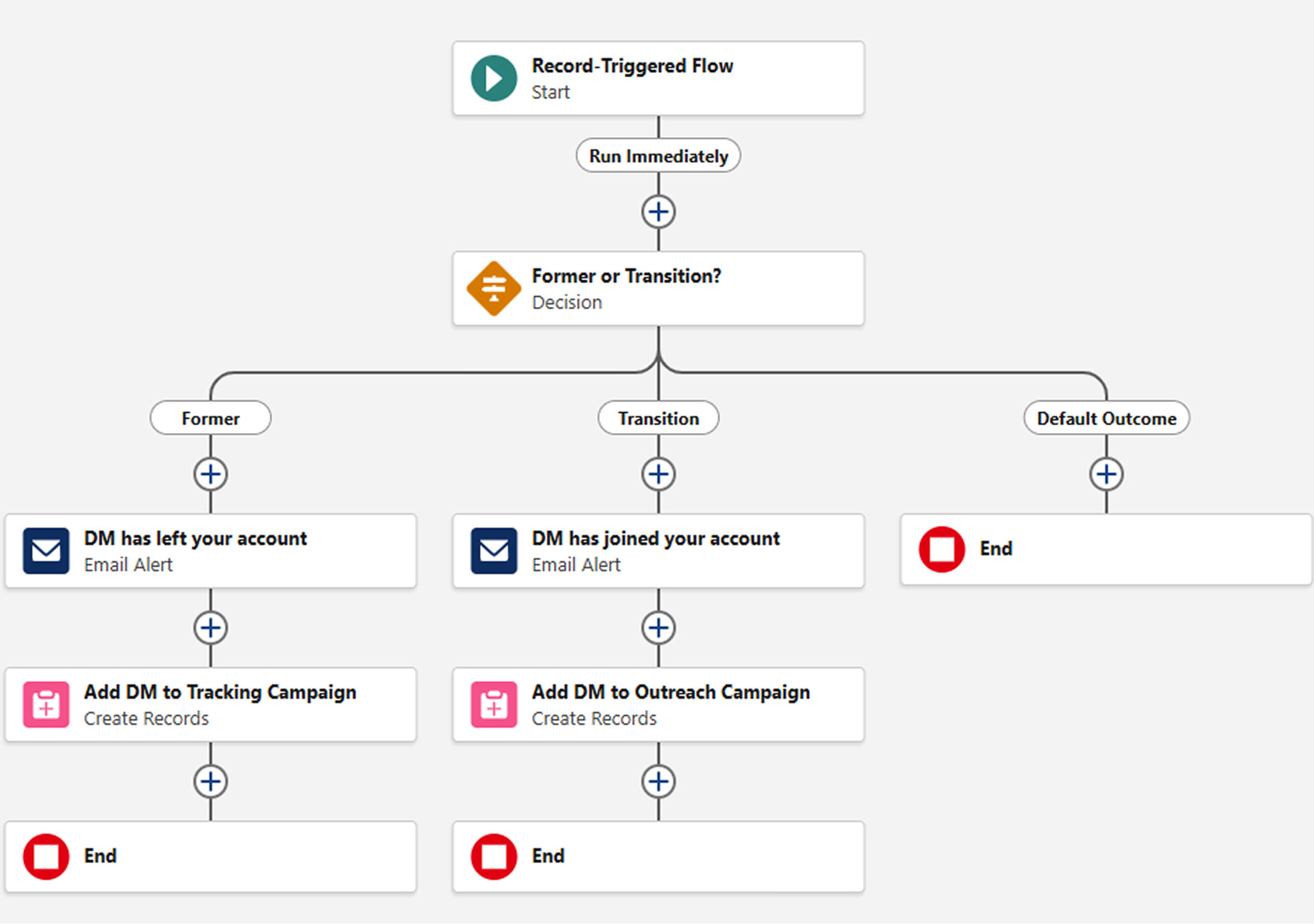
Automated CRM Workflow Example: Salesforce

1. Sync ExecAtlas tracking with Salesforce fields or custom dashboards

  • This will enrich Salesforce fields with ExecAtlas Data and keep them current

  • Use Salesforce Field History Tracking to monitor fields for updates

2. Create playbook specific alerts for key contacts flagged “Alumni”

  • You will receive a notification from ExecAtlas when a contact marked “Alumni” leaves

  • If you prefer alerts come from Salesforce, that can be configured via Salesforce Flow

3. Assigned team member confirms qualification and initiates outreach

  • Use ExacAtlas for connection mapping if team member with prior relationship has moved on

  • Link activity tracking to Salesforce according to account and KPI priorities

4. KPIs to consider

  • Percentage of reengaged alumni

  • Opportunity creation rate tied to alumni movement

  • Sales velocity on champion tracking opportunities

Flow Chart

See Which Alumni Are at Your Best Accounts

Book Your Event Engagement Demo